Tap Tap Read
Read in short bursts. Stay awake for the whole book.
Tap Tap Read shows one paragraph, or one sentence, at a time, so long pages stop losing you.
For iPhone, iPhone Duo and iPad. 30 books free with every feature, All Books for one payment. One sentence at a time is off to start: turn it on in Settings. No ads, no account, and Tap Tap Read collects no data.

Why I built this
I started building this because I couldn't read for more than 15 minutes without nodding off. Big pages and long paragraphs lost me every time. When I tapped through short sentences instead, I stayed engaged and kept going. I know I'm not the only one: plenty of kids and adults find long pages hard to hold onto. If that's you, this is for you.

Tap to read
One tap, one step.
Double tap and the next paragraph glides to the reading line. Triple tap steps back. Long press a paragraph to bookmark it, add a note, define a word or hear it read aloud. Prefer other gestures? Choose how many taps each action needs.
One sentence at a time
Smaller still.
One sentence at a time: each tap lights up the next sentence, so the rest of the page never looms. Turn it on in Settings or in Preferences inside the book.

See your progress
See the finish line.
"Taps remaining" counts down to the end of the chapter, so every tap feels like progress. Lose your place? Back to furthest read takes you straight back.

An offline library
A library that waits for you.
More than 600 classics offline, 30 free, all of them for one payment.
- English515 books
- Français81 livres
- Español19 libros
- Free30 books, every feature

Make it yours
Yours to set.
Preferences sit right inside the book: nine color themes, fonts, text width, tap counts, highlight color and your read aloud voice. You never leave the page for Settings.
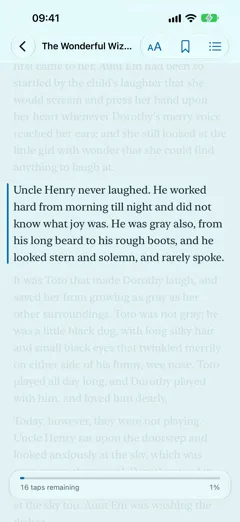
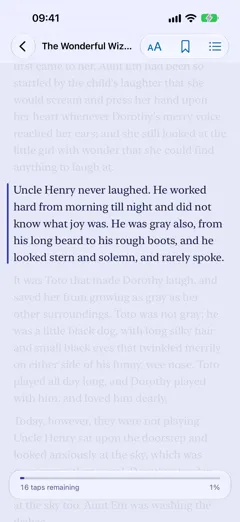
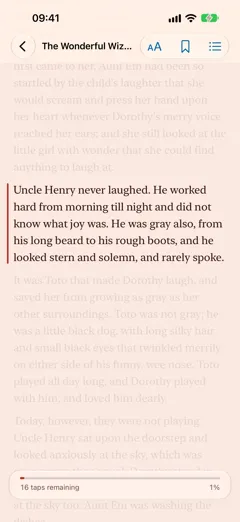
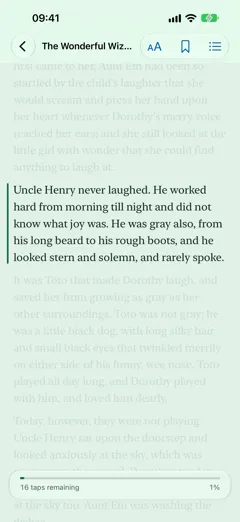
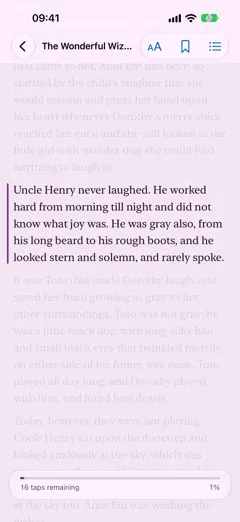
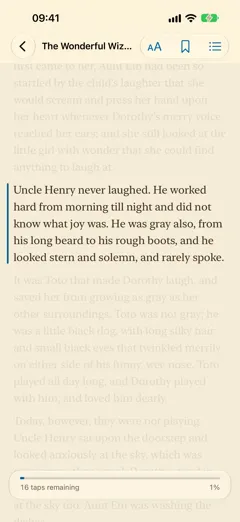
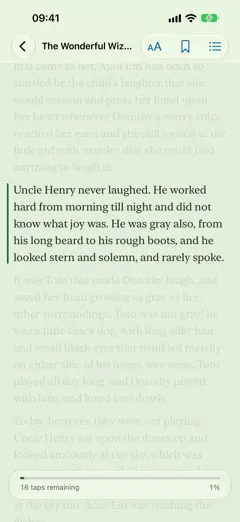
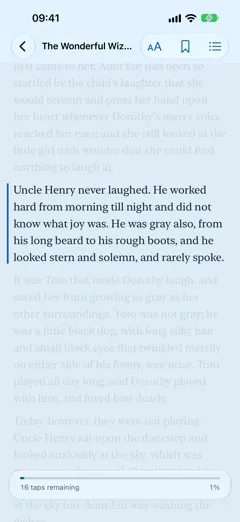
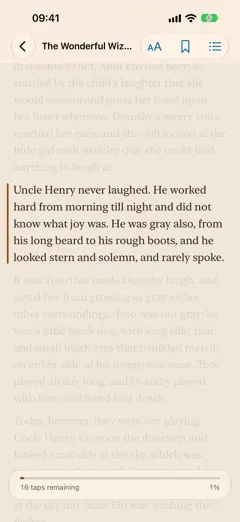


Each theme has a light and a dark paper that follow your iPhone. Automatic is white by day and true black at night.

All Books
Every book, now and later.
Thirty books are free from the first launch, with every feature. All Books unlocks every other title in Tap Tap Read, including books added later, and every locked book opens its first chapter as a free sample. Family Sharing is on.
One payment of $4.99. No subscription.
The price in your country comes from the App Store.

Widgets
Your book, one glance away.
Continue Reading opens your book on the exact paragraph, with the taps left in the chapter. Reading Week shows your minutes and streak. Opening Lines brings a first line from a classic every day. On the Home Screen and the Lock Screen.


iPad and iCloud
Turn a page on one, the other follows.
On iPad, Tap Tap Read has a sidebar and a text width from narrow to full screen. Your place, bookmarks, notes and reading time sync through your own private iCloud: open the same book on iPhone and iPad, turn a paragraph on one, and the other follows within seconds.

iPhone Duo
Unfold it. Read a little more.
Closed, Tap Tap Read reads like it does on iPhone. Open the Duo and the book gets the bigger page, with the same double tap and the same place. Nine color themes, New York, San Francisco and Optima, and it all works offline. Free to download on the App Store for iPhone and iPad.
No account. No ads. No subscription.
English editions come from Standard Ebooks, whose work is dedicated to the public domain. The other texts are public domain, cleaned and typeset by Hamdouchi Interactive.
